Work from More Than One Place? Your Booking Form Handles It
Salon and clinic owners who work from two or more locations can add them to the booking form so clients only see available dates for the right place. It is optional, simple to set up, and keeps your diary accurate.

Some hairdressers, beauticians, therapists and clinic staff work from more than one place. You might spend Mondays and Tuesdays in one town and Thursdays and Fridays in another. Or you might share time between a main salon and a home studio. Clients need a clear way to book the location that suits them, and you need to make sure nobody books you somewhere you will not be.
That is exactly what the booking form on a OnePageWebsites site is built to handle.
Locations are completely optional
You do not have to use this feature at all. If you only ever work from one place, the booking form and the admin area stay exactly as they always have. Nothing changes. There is no extra step and no extra screen to learn.
The locations section only appears when you decide you need it. You can add it at any time, even months after your site has gone live. There is no need to plan everything in advance.
Adding your locations takes minutes
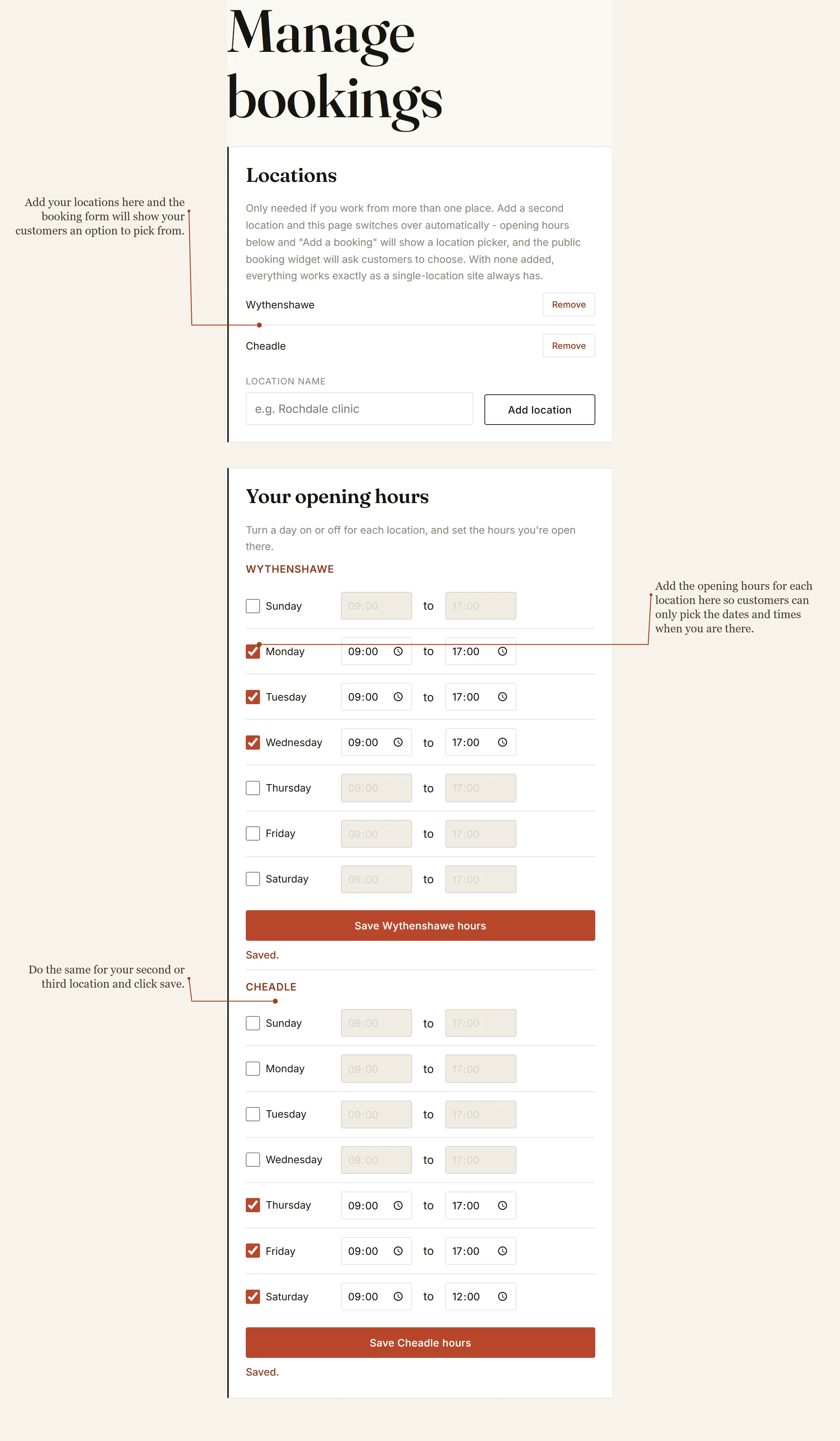
Inside the private admin area you will find a simple Locations section. You type the name of each place you work from and click Add. That is all there is to it.
Many of our clients use short, clear names that clients will recognise, such as the town or the clinic name. Once a location is added you can remove it again with one click if your working pattern changes.
As soon as you have two or more locations, the rest of the system adapts automatically.
Opening hours for each place
After you add a location you set the days and times you are open there. Each location has its own set of opening hours. You simply tick the days you work and enter the start and end times.
This is important. Clients will only be able to choose dates and times when that specific location is open. If you are only in one place on a Thursday, the form will not offer Thursday appointments at the other place. Double bookings and wasted journeys become much less likely.
You can change these hours whenever you need to. Save the settings for one location, then do the same for the next. The form updates straight away.
What clients see on the booking form
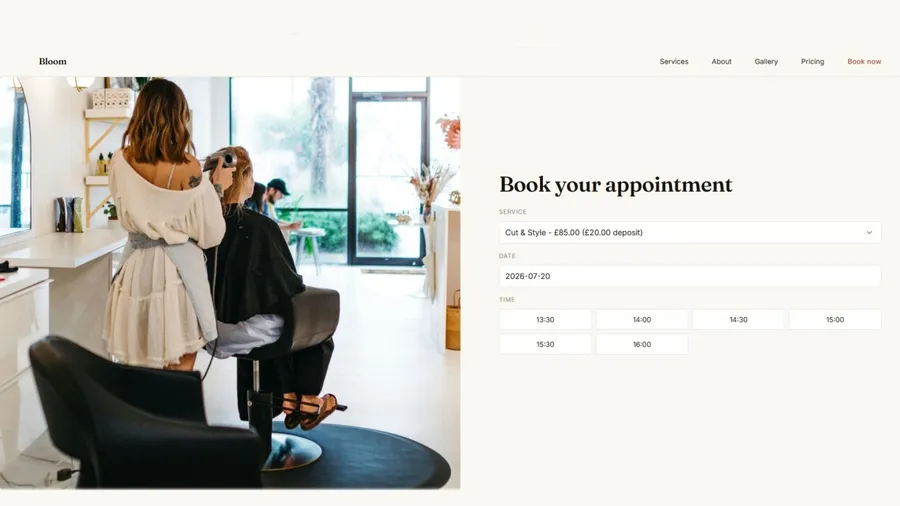
When a client opens the booking form they now see a clear drop-down menu asking them to choose a location first. They pick the place that is most convenient for them. Only after they choose a location do the available dates and times appear.
This is a genuine benefit for your clients. They can book the location closest to home or work without having to message you to check. The form does the work for them and only shows times that are actually available at that place.
The rest of the booking process stays the same. They still choose a service, pick a date and time, and pay a deposit through your own Stripe account if you have that set up. The experience feels simple and professional.
Your diary stays accurate
Because each location has its own opening hours, the form never offers a slot you cannot take. If someone books for the second location on a day you are not there, that booking simply cannot be made. You stay in control of your time without having to monitor every request.
In the admin area you still see every booking clearly listed. You can tell at a glance which location each appointment is for. Manual bookings you add yourself also respect the location settings, so everything stays consistent.
Built for real working patterns
We designed this feature after speaking to clients who split their week between different sites. Some work in a salon three days a week and from home the rest of the time. Others cover two clinic rooms in different towns. The system does not force you into a rigid structure. It simply gives you a clean way to match bookings to the places you actually work.
You can start with one location and add a second later. You can remove a location if you stop working there. The form always reflects your current situation.
No technical knowledge needed
Everything is managed through the same simple admin area you already use for services, prices and blocked days. There are no extra plugins to install and no complicated settings pages. If you can type a location name and tick a few boxes for opening hours, you can use this feature.
We set everything up for you when we build the site. If you decide later that you need a second location, you can add it yourself in a couple of minutes or ask us to help. Either way, there is no technical headache.
See how it works for other businesses
You can look at real examples of the sites we create on our Examples page. Every site is different because every business is different, but they all share the same clear, easy approach.
If you currently work from more than one place, or think you might in the future, this feature is already built into the booking form. It is ready whenever you need it.
Ready to make bookings simpler?
Running a salon, clinic or therapy business is demanding enough. Your booking system should make life easier, not add extra work. With OnePageWebsites you get a form that respects the way you actually work, whether that is from one location or several.
Clients get a clear choice of location. You get a diary that only shows the times you are available in each place. And you keep full control of every booking and every payment.
If this sounds like the kind of straightforward system you need, Get in Touch. Tell us a little about how you currently take appointments and where you work. We will show you exactly how the form would look for your business and give you a clear price with no surprises.
Your clients already trust you with their time and their wellbeing. Give them an easy way to book the location that suits them best, and keep your own diary accurate without the fuss. That is what a OnePageWebsites booking form is for.